Capturing responses is great - but having them instantly available as professional, printable documents is even better. We've introduced a new
Generate Submission Document
setting that automatically creates and stores PDF copies of every submission.What's New
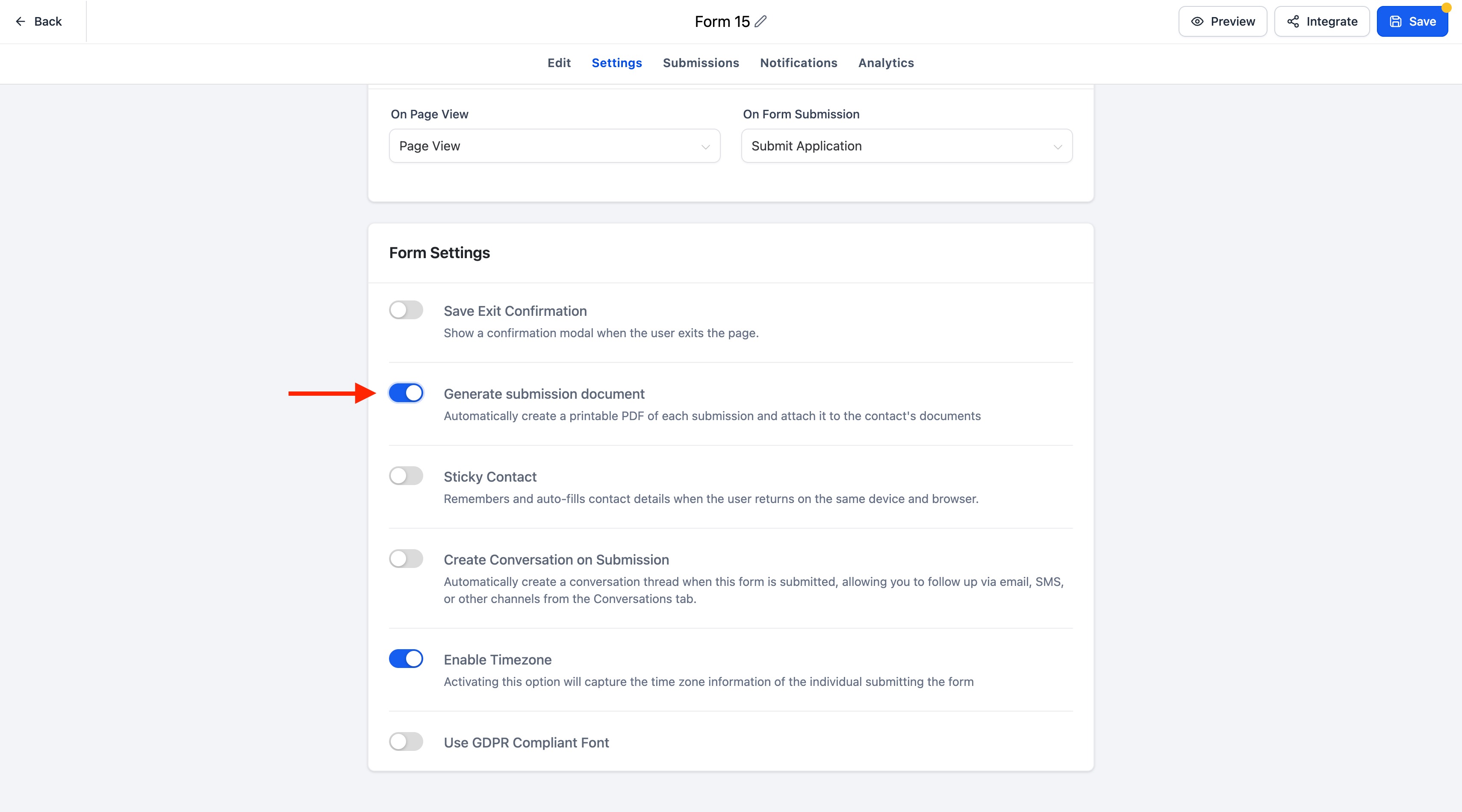
A new Generate submission document toggle is now available in the Settings panel for:
- Forms
- Surveys
- Quizzes
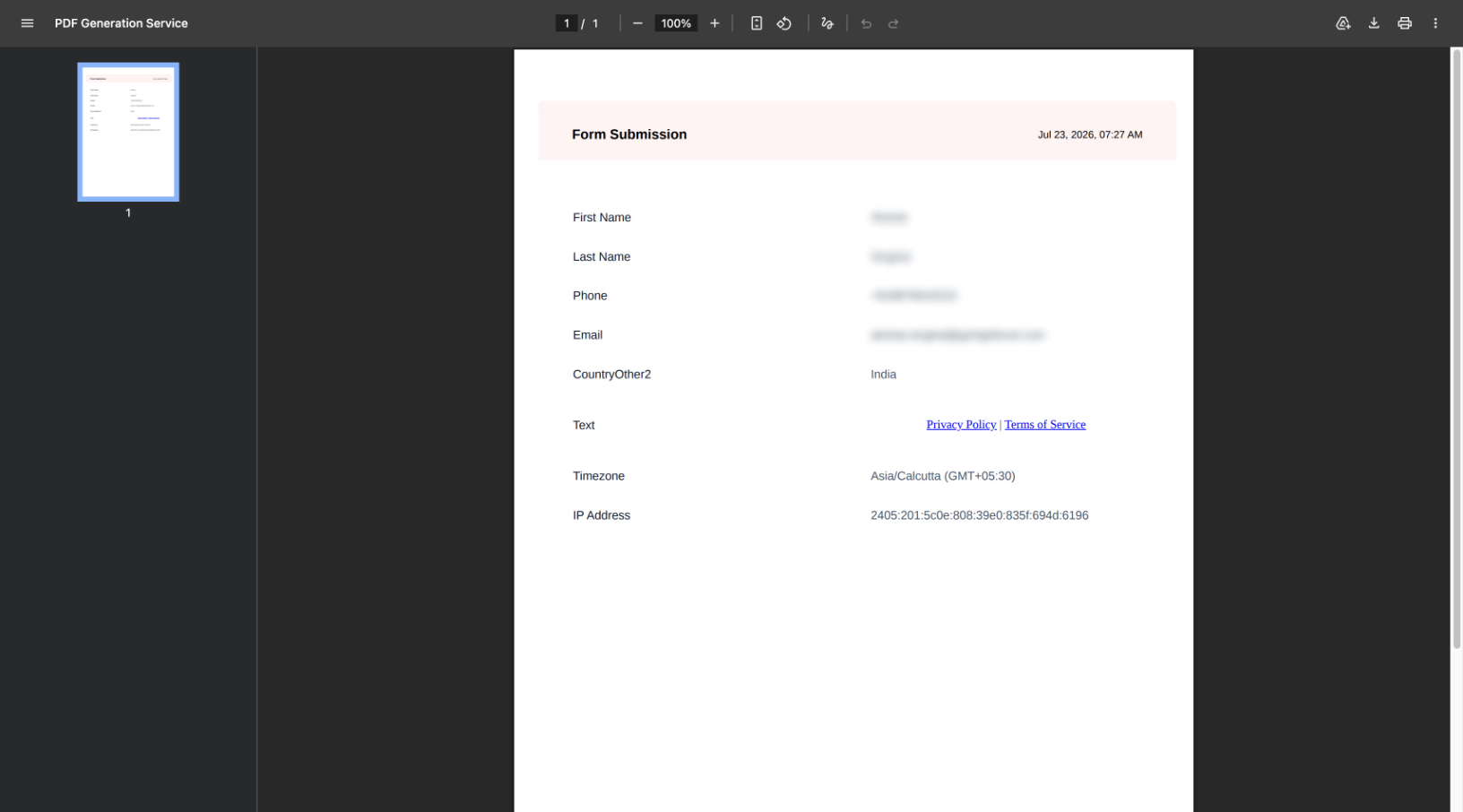
When enabled, every new submission automatically generates a beautifully formatted PDF document.
Key Highlights
- Automatically generates a printable PDF for every submission
- Includes all questions and submitted responses
- Captures submission metadata including:
- Submission date & time
- Contact information
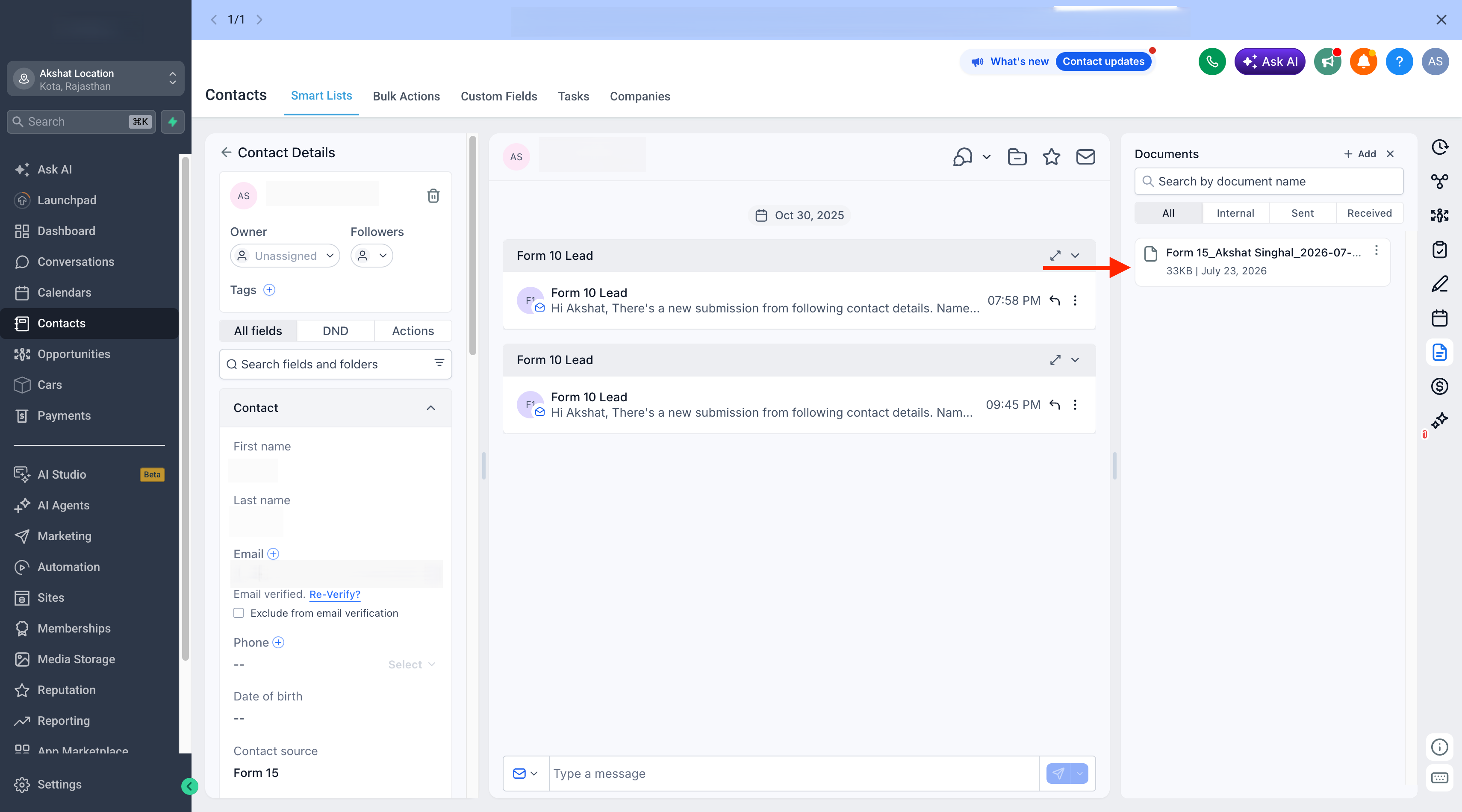
- Automatically stores the document under:
- Contacts → Documents → Forms
- Contacts → Documents → Surveys
- Contacts → Documents → Quizzes
- Automatically associates the document with the submitting contact
- PDFs can be viewed, downloaded, and used throughout the CRM
- Fully supported across desktop and mobile experiences
How It Works
- Open the settings for a Form, Survey, or Quiz.
- Turn Generate submission document ON.
- Every new submission automatically generates and stores a PDF document.
- Access the document anytime from the contact's Documents section or use it across supported CRM workflows.
- If the toggle is OFF, no PDF documents will be generated.
PDF Naming Convention
Generated documents follow consistent naming formats:
- Forms & Surveys :[FormName]_[ContactName]_[YYYY-MM-DD_HHMM]
- Quizzes :Result_[FormName]_[ContactName]_[YYYY-MM-DD_HHMM]
Notes
- PDF generation is optional and controlled per Form, Survey, or Quiz.
- Documents are automatically organized into their respective folders (Forms, Surveys, or Quizzes).
- Existing submissions are not affected; only new submissions generate documents after the setting is enabled.
Was this article helpful?
That’s Great!
Thank you for your feedback
Sorry! We couldn't be helpful
Thank you for your feedback
Feedback sent
We appreciate your effort and will try to fix the article