The Company object just got a lot more useful. You can now reference Company fields - both standard and custom - across the platform as custom values: in emails, workflows, contracts, conversations, and AI context. All the rich business context you've been storing on Company records can now power personalized, automated communication.
What's New
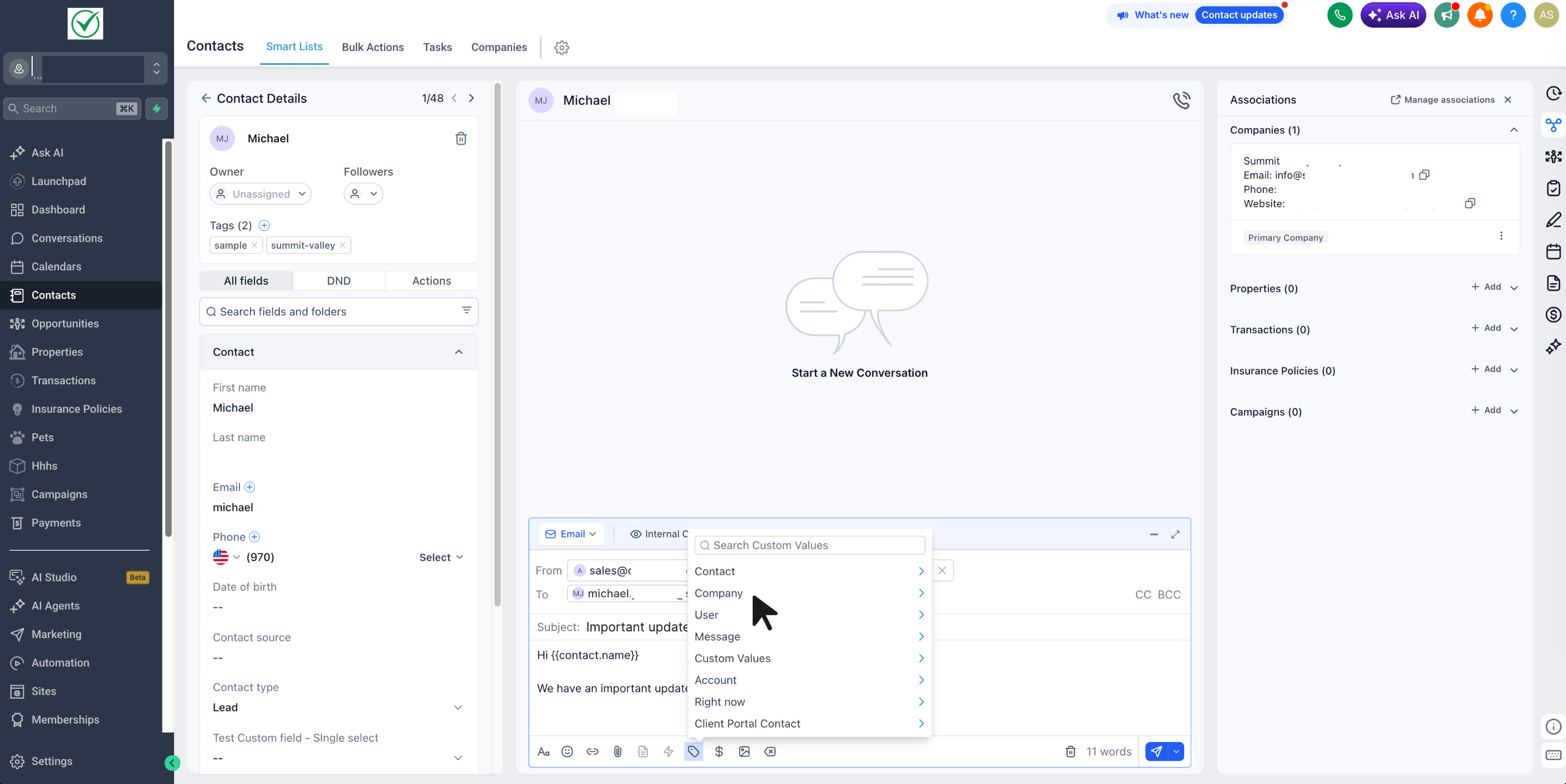
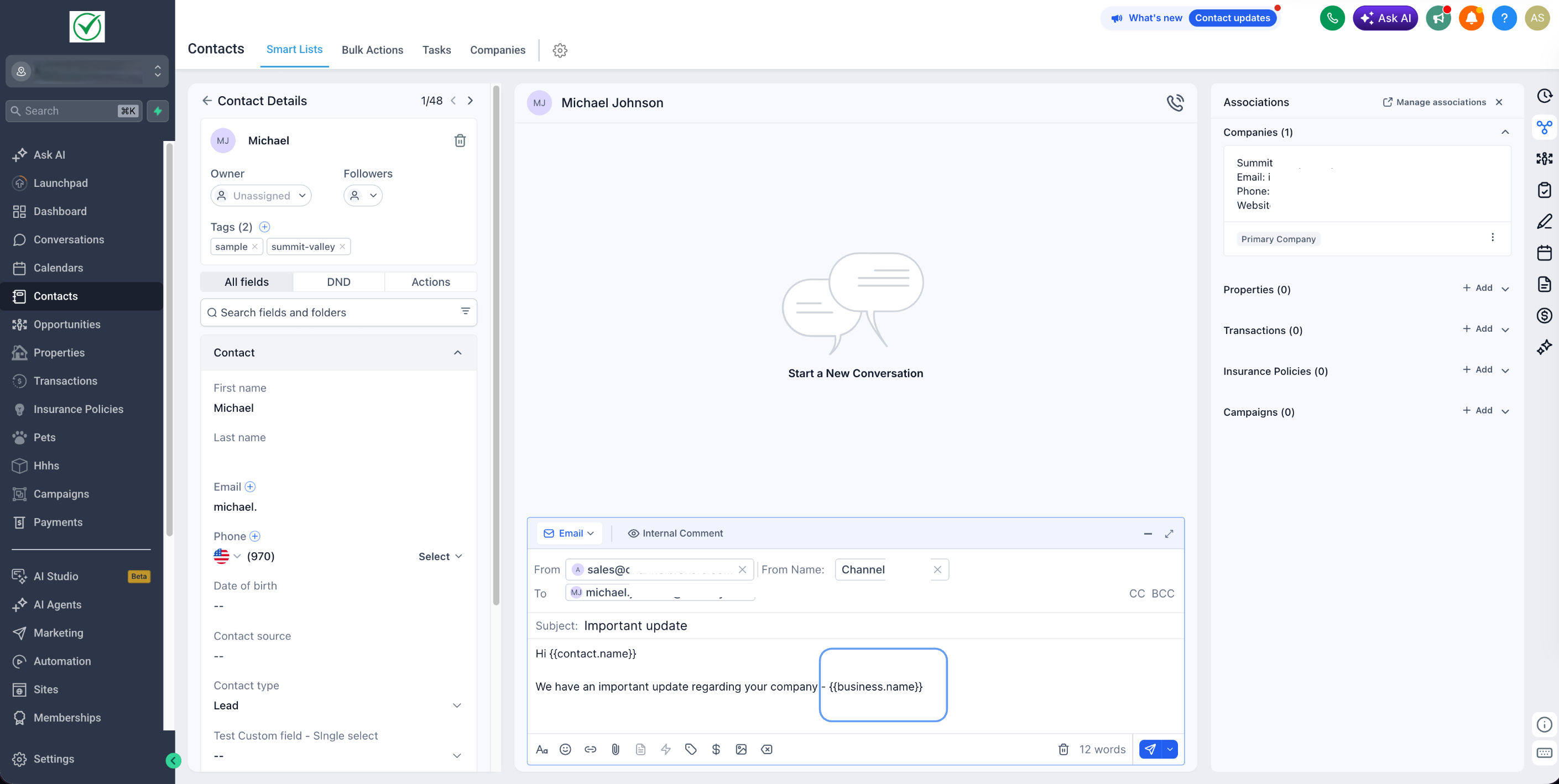
Company fields in the Custom Value Picker — pick from standard fields and all your custom Company fields.
Available across the platform: Workflows, Email Builder, Email Campaigns, Conversations, Documents & Contracts, Bulk Actions, and Conversation AI.
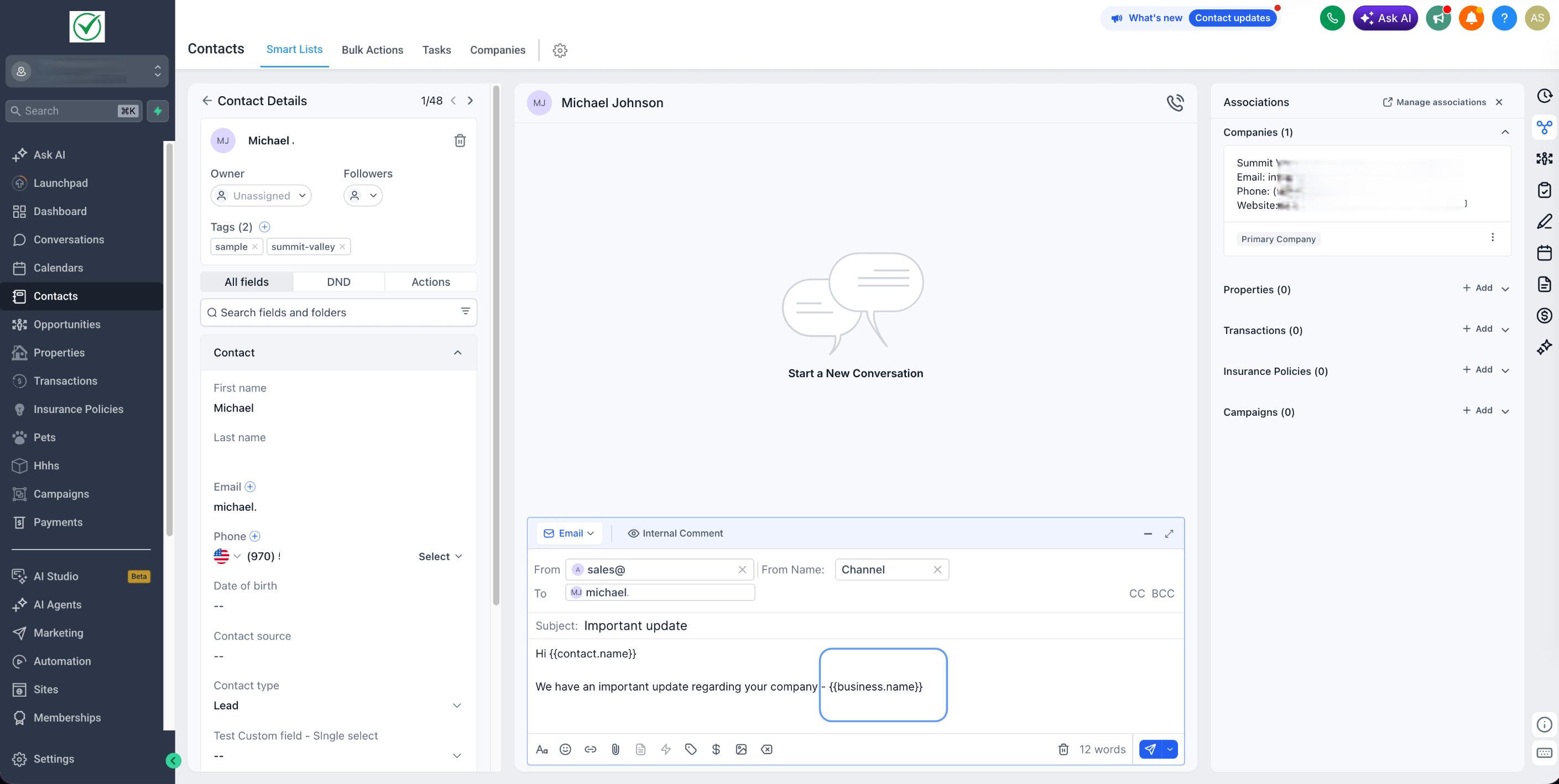
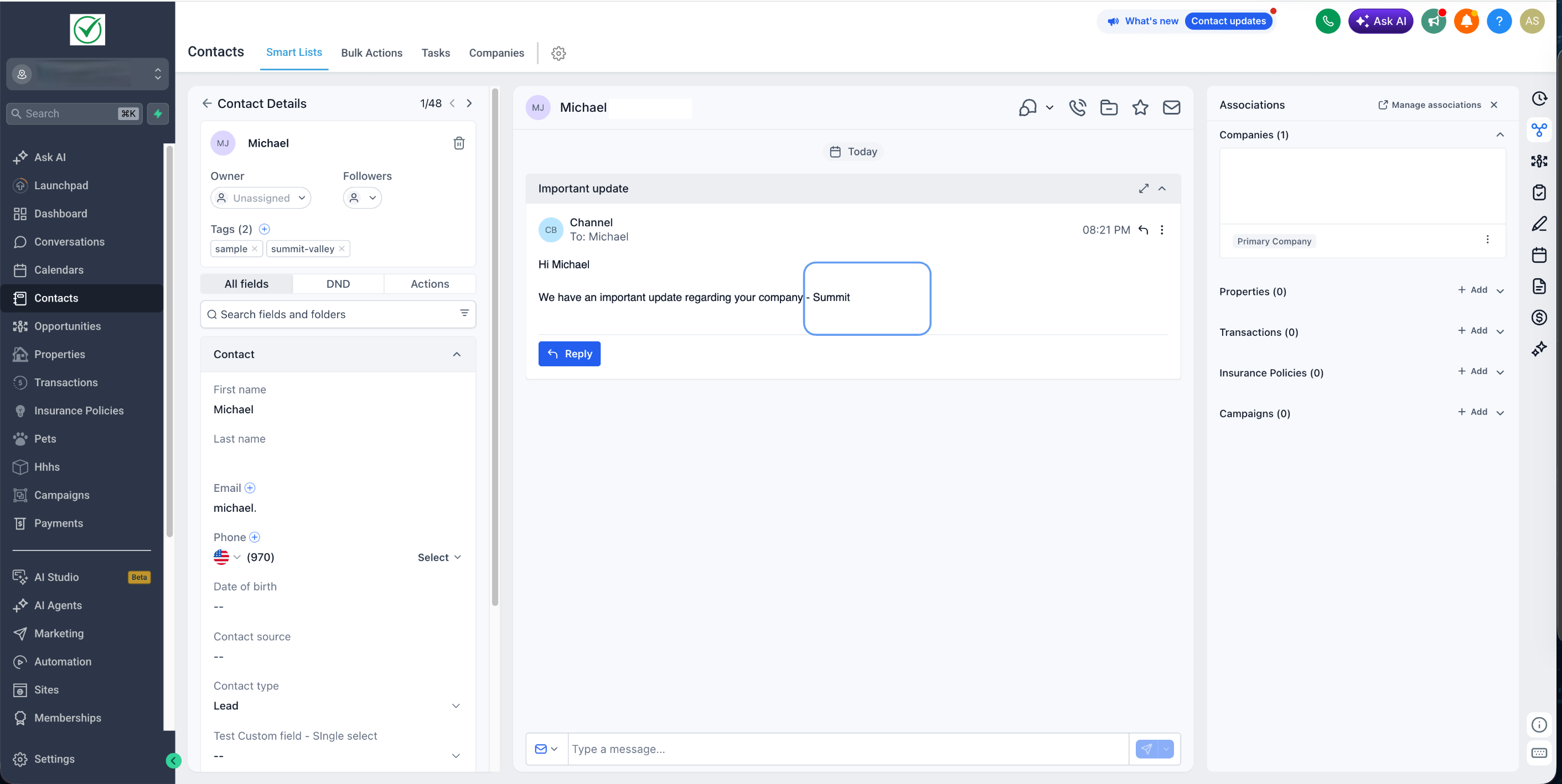
Each custom value resolves to the Company associated with the Contact at runtime.
Why It Matters
Smarter personalization - reference a recipient's company name, industry, account tier, or any custom attribute directly in your messages.
Auto-filled contracts - generate proposals and agreements with full Company context pre-populated.
Context-aware AI - Conversation AI can now use Company information in its replies.
More powerful automations - drive workflows with Company data without workarounds.
More value from your Company data - every field you've set up on Company is now usable wherever you communicate.
How to Use
Open any supported tool (e.g., Conversations or a Workflow Send Email action).
Click the Custom Value Picker in the editor toolbar.
Select the Company group.
Pick any standard or custom Company field.
Was this article helpful?
That’s Great!
Thank you for your feedback
Sorry! We couldn't be helpful
Thank you for your feedback
Feedback sent
We appreciate your effort and will try to fix the article